Configure NIC
This is required to download OS X / macOS via recoveryOS! This is also how you provide Internet Access to the guest machine by sharing it from the host using an appropriately emulated NIC controller that is supported by the OS release you wish to use.
Using the Default Network
Select the Add Hardware button and choose the Network category on the left-hand side.
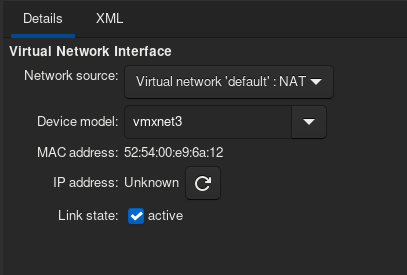
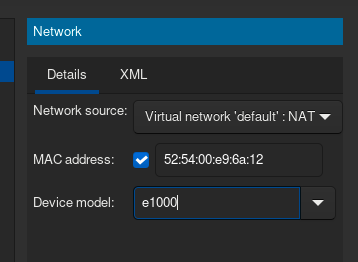
You must type it in manually and hit apply.
Choose the correct Network Model depending on your Guest OS
For Mac OS X El Capitan (10.11+) and newer: Use vmxnet3.
For Mac OS X Yosemite (10.10+) and newer: Use e1000e.
For Mac OS X Mavericks (10.9) only: Use e1000-82545em.
For Mac OS X Snow Leopard (10.6+) and newer: Use e1000.
For Mac OS X Leopard (10.5-) and older: Use e1000-82545em.
Once you have selected the correct model, you can continue to the next step.